

BIGTREETECH TFT35 E3 V3.0.1 Touch Screen
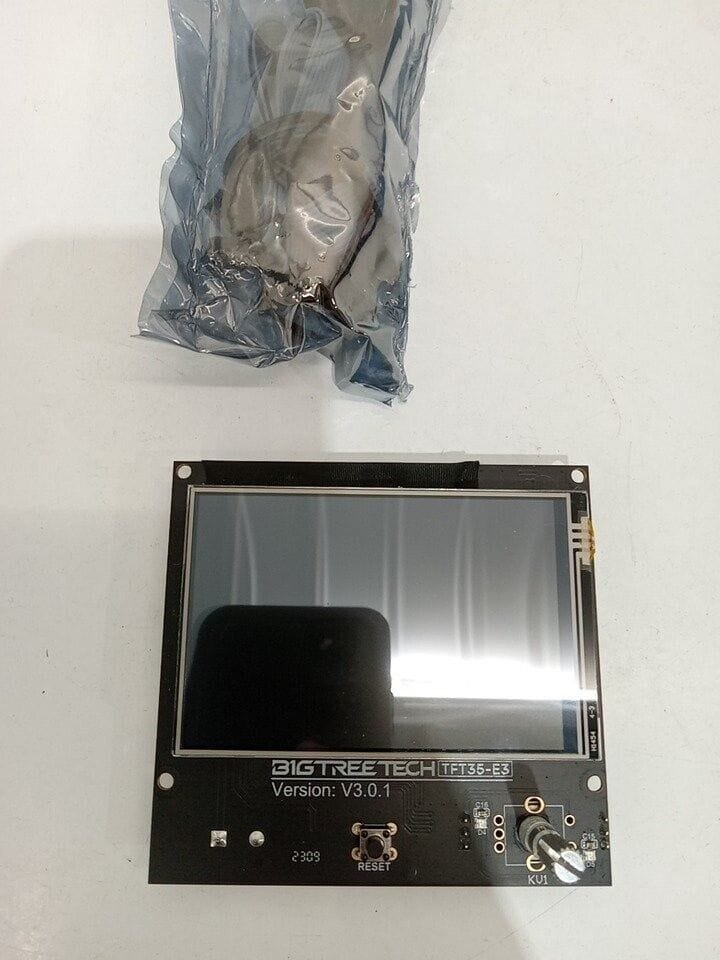
Upgrade your Ender 3 experience with the BIGTREETECH TFT35 E3 V3.0.1. This dual-mode smart display is a direct-fit replacement for the original Ender 3 LCD, offering a significant jump in both functionality and aesthetics.
The standout feature of this board is its Dual Mode capability, allowing you to switch between the classic Marlin “Blue Screen” interface and a modern, full-color touch screen interface with a single press of the knob.
Key Features
Perfect Fit for Ender 3: Designed with the exact dimensions and mounting holes of the original Ender 3 screen, making installation a simple “drop-in” process.
Dual Mode Operation: Supports both Touch Screen Mode (using the serial port) and Original Marlin Mode (using the 12864 LCD emulation).
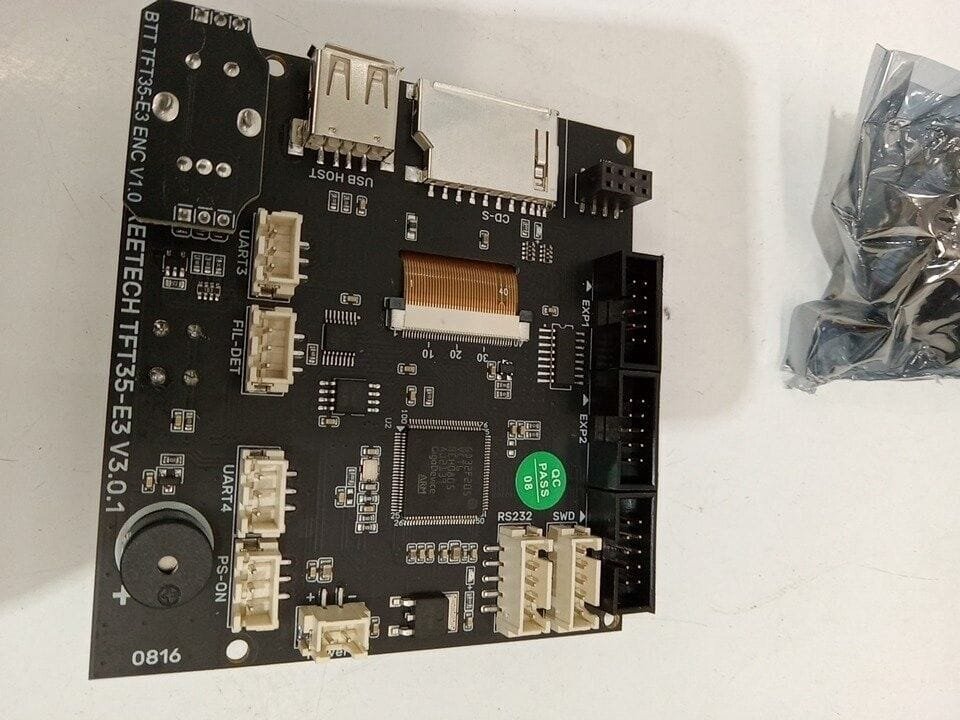
Expanded Connectivity: Features an integrated SD Card slot and a USB Flash Drive port on the front of the display, making it much easier to load print files.
Smart Lighting: Includes an Encoder LED light that can be customized to different colors, providing visual feedback on your printer’s status.
Rich Extension Ports: Reserved ports for Filament Runout Detection, Automatic Shutdown (PS_ON), and extra serial ports for modules like WiFi.
High-Resolution Graphics: Crisp, clear icons and real-time status monitoring for temperatures, speeds, and print progress.
Technical Specifications
| Specification | Details |
| Model | TFT35 E3 V3.0.1 |
| Input Voltage | DC 5V |
| Microprocessor | STM32F207VCT6 |
| Screen Size | 3.5 Inch |
| Interface | RS232 (Touch) / EXP1+EXP2 (Marlin) |
| Support | SD Card / USB Flash Drive / WiFi (Optional) |
| Compatibility | Ender 3, Ender 3 Pro, Ender 3 V2 |
Installation Tip
To use both modes, you must connect both the flat ribbon cables (EXP1 & EXP2) and the 5-pin serial cable (RS232).
Marlin Mode: Uses the EXP cables.
Touch Mode: Uses the RS232 serial cable.
To Switch: Hold down the rotary knob for 3 seconds to toggle between the two interfaces.
All duties are paid by DeluxxDeals. No surprise charges!
